Get an API key
Where API keys live in the Brault web app, how to create one, and how to check it works.
API keys are created in the Brault web app, never through the API. You need a plan with API access (Lite or higher; the Free plan shows the Developers section locked, with the "Available from Lite" line and an upgrade button) and the Developers → manage permission, which owners and admins have by default and custom roles can be granted.
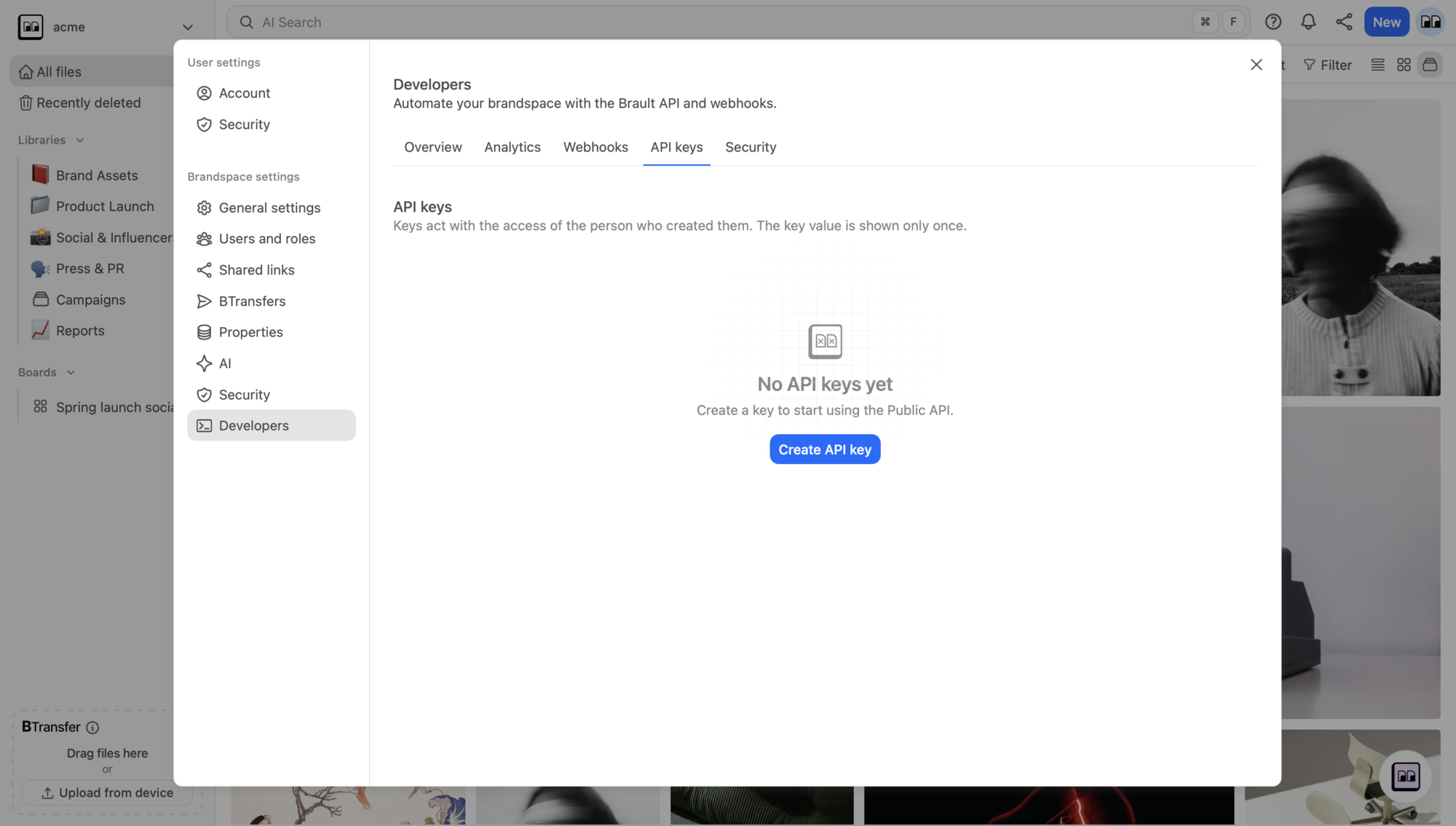
1. Open Developers in Settings
Open Settings → Developers → API keys
The link goes to brault.app/settings/developers?tab=keys. Signed out, you land on the login
page and come back afterwards; signed in, you are taken to your brandspace with the
Developers section open on the API keys tab. You can also get there by hand: open
Settings from your brandspace menu, then pick Developers in the sidebar.
2. Create the key
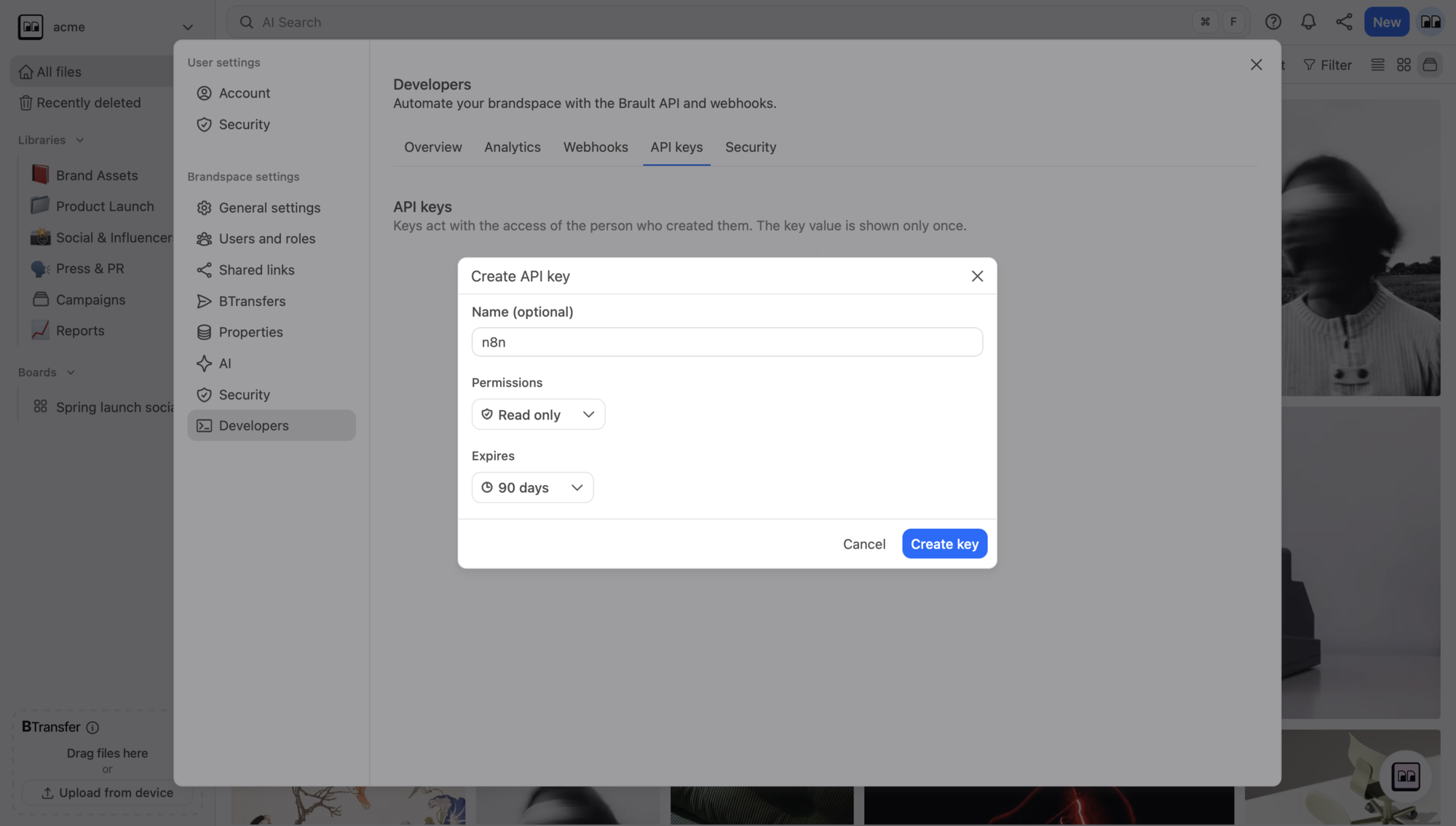
Click Create API key. The Create API key dialog asks for three things:
- Name (optional) — something that tells you where the key is used, such as "Zapier automations". It is what the keys table shows.
- Permissions — a preset, Read only (every
*:readscope) or Full access (every scope), or Custom, which opens read and write checkboxes per area (files, boards, comments, pages, shares, transfers, members, webhooks…). A key can never do more than the person who created it can do in the app — scopes only narrow that. - Expires — Never, 30 days, 90 days, 1 year, or On a date.
Press Create key.
The Create API key button is disabled once the brandspace holds as many active keys as its plan allows; revoke one you no longer use to free a slot.
3. Save the key — it is shown once
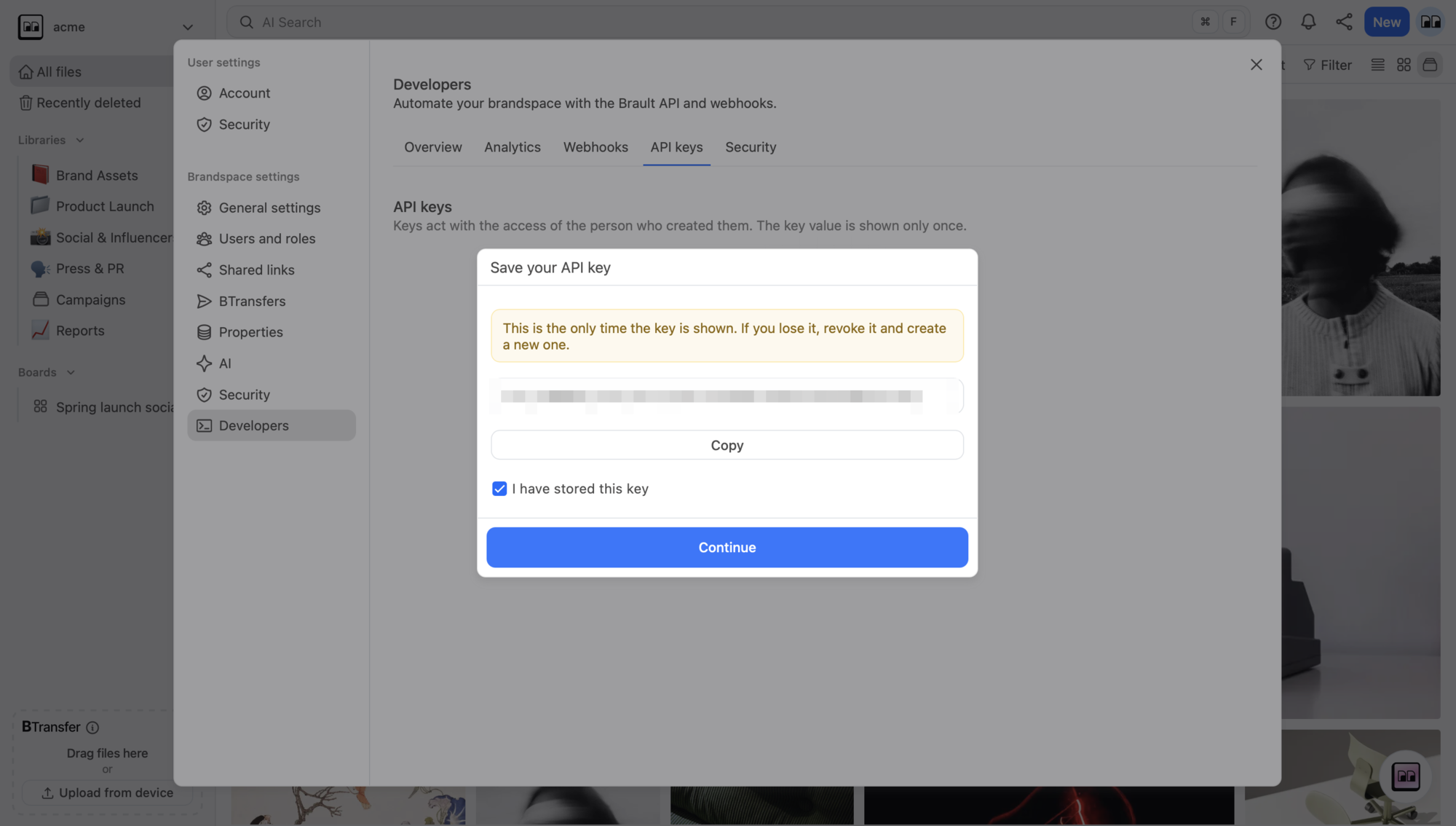
The Save your API key dialog shows the full key exactly once. Press Copy, store it
in your secret manager or as an environment variable, tick I have stored this key, and
continue. Afterwards the panel only ever shows the bsk_ prefix and the last four
characters.
export BRAULT_API_KEY="bsk_<8-character prefix>_<46-character secret>"There is no "roll" for a key. If you lose one or suspect it leaked, revoke it in the table and create a new one.
4. Check it works
api.brault.app— this host is the same in every regioncurl https://api.brault.app/v1/me \
-H "Authorization: Bearer $BRAULT_API_KEY"The response names your brandspace, the key, its scopes and the limits of your plan — the
same call Getting started uses as the first request. A 401 means the key was
mistyped, paused, revoked or expired; see
Authentication and keys for the exact codes.
Managing keys later
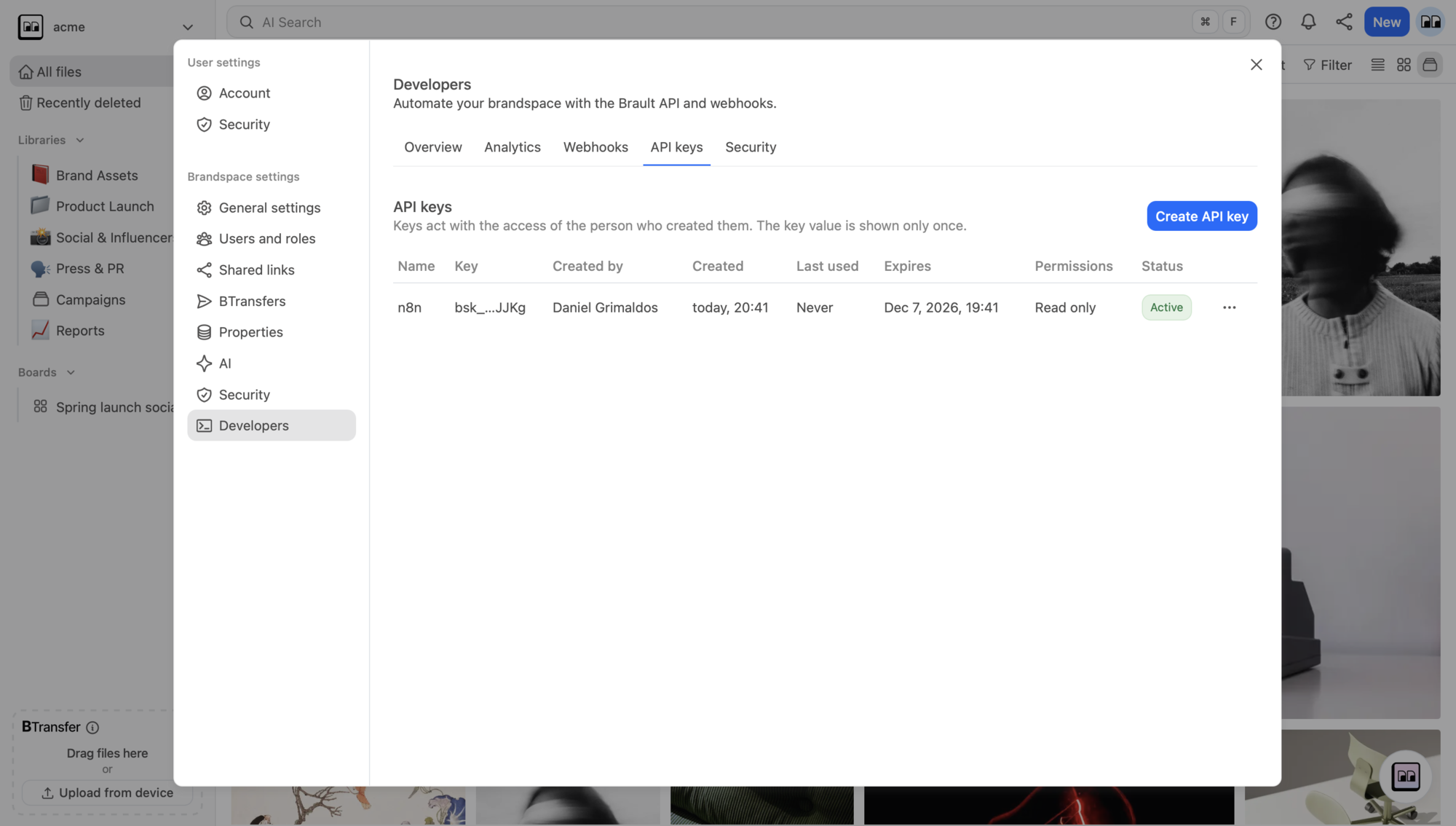
The API keys table lists every key with its name, the bsk_ prefix and last four
characters, who created it, when, when it was last used, when it expires, its permissions and
its status (active, paused, revoked or expired). From a key's menu you can Edit
the name and scopes, Pause and Resume it, Transfer it to another member,
Revoke it, and remove a revoked key from the list.
A key acts as its creator. If that person loses access to the brandspace, the key pauses automatically until an owner or admin transfers it to someone else.